For indie devs & small studios
Keep one game character consistent across your art
A solo dev can design a great hero once and then need them everywhere — the dialogue portrait, the store key art, the menu splash. Here is how to keep that character recognisable across every piece without commissioning each one.
Character art is where a small game's budget usually runs dry: one artist, one hero, and a dozen places the hero has to appear. Generative editing lets you take a single strong character reference and place it into portrait after portrait, keeping the face, outfit, and palette so players read every screen as the same protagonist.
Design the hero once, generate from that reference
Lock your hero's canonical look in one clean reference. Then, for each piece — a worried dialogue portrait, a heroic key-art pose, a victory splash — describe the scene and name the anchors that must survive: the face, the coat, the weapon, the colour scheme. Every render pulls from the master reference, so your hero stays your hero from the title screen to the final cutscene.
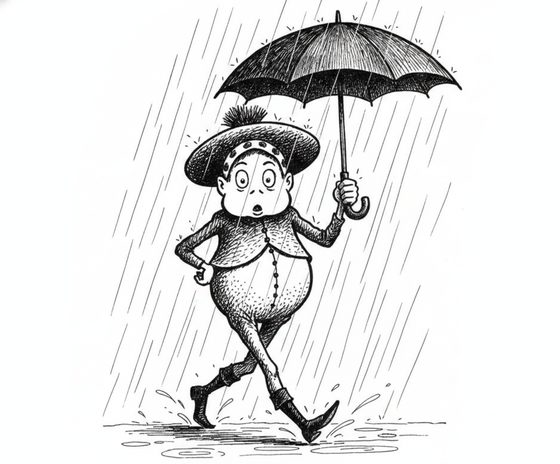
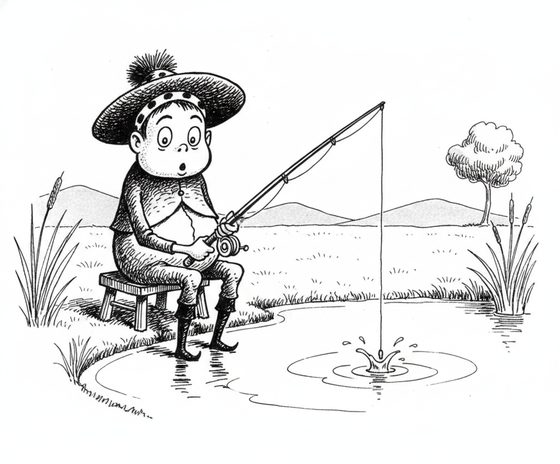
Where sprite-style work gets tricky
- Distinctive gear — a coloured cloak, a signature blade, a mechanical arm — anchors identity best. Prominent pieces carry reliably; tiny rivets and trim can soften, so build the design around bold, readable elements.
- New action angles — a mid-swing attack, a dramatic fall — may ask for a view your reference never showed, which can drift the likeness. Simplify or re-run an off-model frame.
- Animated sprite sheets and per-frame game assets are out of scope — this produces consistent character art and portraits, not game-ready animated spritesheets. Treat the output as reference and key art, then hand it to your pipeline.
Use it as your art bible
Keep one reference per major character so your hero, your rival, and your NPCs each stay on-model wherever they appear. Generate a batch of portraits and key art, review them together to catch any outlier, and you have a coherent visual cast for a store page, a press kit, and an in-game gallery. The reference-sheet planner helps you organise a cast before a big art push.
Questions, answered plainly
Can it make a game-ready animated sprite sheet?
No — it produces consistent character art, portraits, and key art, not frame-by-frame animated spritesheets. Use the output as reference and static art, then take it into your own animation and asset pipeline.
Can I base my hero on an actor or real person?
No — keep your hero an original, fictional character you own. Do not model them on an actor, celebrity, or anyone who has not consented. An invented protagonist is the correct default for a game.
Will my character's weapon and outfit stay consistent?
Prominent, defining gear — a distinctive weapon, a coloured coat, a mechanical limb — carries reliably. Very fine detail can soften between pieces, so anchor the design in the big, recognisable shapes.
How much does a full set of character art cost?
The workbench starts with one free watermarked preview, so you can prove your hero holds in a new pose before spending. Producing a full art set uses one-time 4-, 12-, or 40-scene packs — you pay only for what you generate, with no subscription.
Design once, use everywhere
Bring your hero's reference and generate the first portrait. Keep them consistent across every screen.
One free watermarked preview here — no signup. Choose a pack only after you inspect the scene.