For players & game masters
Put your D&D character in every scene of the campaign
You have the perfect portrait of your half-elf ranger. Now you want them at the tavern table, creeping through the crypt, and squaring off with the dragon — and looking like the same ranger in all three. Here is how.
A single character portrait is where most tabletop art stops, because getting that same adventurer into new scenes usually means commissioning an artist for each one. Generative editing changes the maths: once you have a good reference of your character, you can place them into session after session yourself — as long as you keep the parts that make them them.
Treat your portrait as the character sheet's reference
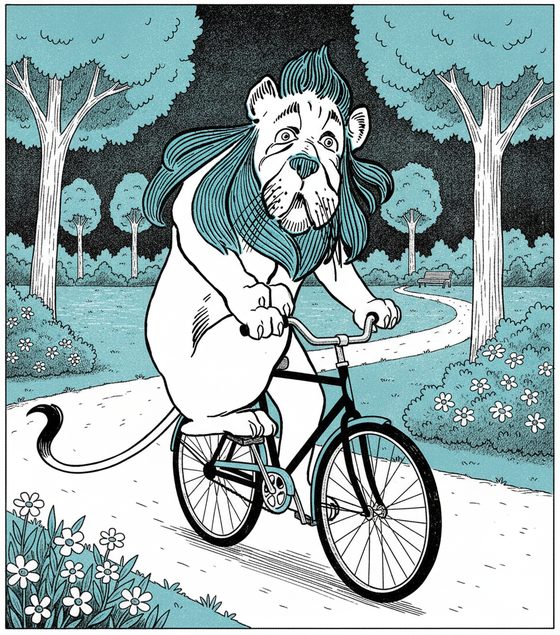
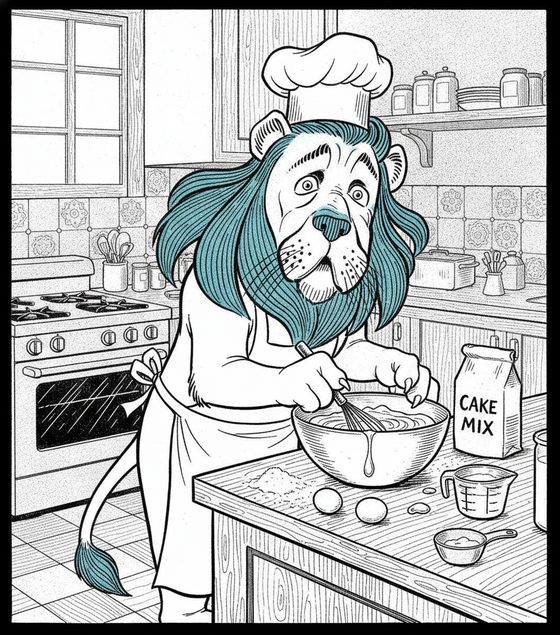
Start from your best existing portrait. Describe the new scene — the smoky tavern, the dripping dungeon, the ritual circle — and name the gear that must survive: the green cloak, the antler helm, the notched blade. The armor, palette, and face carry from the reference into the new setting, so your ranger stays your ranger whether they are drinking ale or fighting for their life.
Gear and party consistency
- Signature equipment — a distinctive weapon, a coloured cloak, a familiar at the shoulder — reads as identity. Prominent gear carries most reliably; tiny buckle and rune detail can soften, so lean on the big, defining pieces.
- Party scenes are outside the one-subject workbench contract. Generate one owned character at a time, then assemble a group in your layout tool if the campaign needs it.
- Dramatic action — a mid-leap attack, a spell being cast — may ask for angles your portrait never showed. Inspect those frames closely and simplify or re-run any off-model result.
For game masters
The same method works for your NPCs and locations. Keep a reference for each recurring NPC so the innkeeper, the villain, and the mysterious stranger look the same every time the party meets them. Generate a set of session scenes ahead of time, review them together, and you have a consistent visual cast for the whole campaign. The reference-sheet planner helps you organize a party's references before a big session.
Questions, answered plainly
Can I use this for my whole party, not just one character?
Yes, as separate one-character scenes. The current workbench locks one owned or licensed character per job; build the party one at a time and combine approved finals in a layout tool.
Will my character's specific armor and weapon stay the same?
Prominent, defining gear — a coloured cloak, a distinctive helm or blade — carries reliably. Very fine detail like small buckles or engraved runes can soften from scene to scene, so build your character's identity around the big, recognizable pieces.
Can I base my character on an actor or a real person?
You may base an original adventurer on yourself as an adult or on a consenting adult who approved the use. Do not use an actor, celebrity, public figure, or anyone who has not consented. A safer tabletop default is an invented character you own.
Is it free for a home campaign?
The workbench starts with one free watermarked preview, so you can test your character in a scene at no cost. Making a full set of session art uses one-time 4-, 12-, or 40-scene packs — you buy only what you generate, no subscription.
Roll your character into the scene
Bring your adventurer's portrait and describe the setting. Keep them the same across the campaign.
One free watermarked preview here — no signup. Choose a pack only after you inspect the scene.