For streamers & community creators
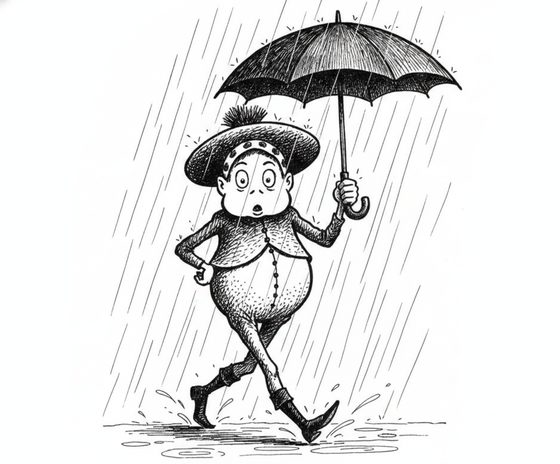
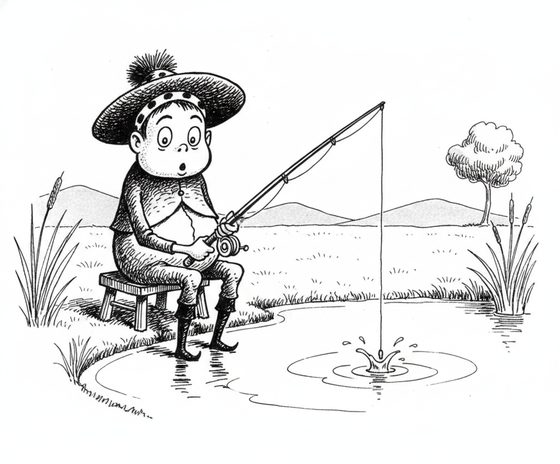
Keep one character consistent across an emote set
A good emote or sticker pack is one recognisable character doing a dozen reactions — happy, crying, hyped, asleep. If the character shifts between emotes, the set falls apart. Here is how to keep them the same face across every reaction.
Emotes and stickers work as a set: your community learns one character and then reaches for the whole range. That only lands if every reaction is unmistakably the same character. Generative editing lets you design one mascot or persona and generate each reaction from that reference, holding the face and palette so the pack reads as a coherent family.
Design the character once, react from that reference
Fix your character in one clean reference — the canonical face, hair, and colours. Then generate each emote by describing the reaction: a big grin, streaming tears, wide-eyed hype, a sleepy slump. Name the anchors that must survive every mood — the eye shape, the signature hair or hat, the palette — so a laughing emote and a crying emote are clearly the same little character.
What keeps a set coherent
- A bold, simple silhouette reads best at emote size. Distinctive hair, ears, or a hat anchors identity; fine detail is lost when the image is shrunk to a chat icon anyway, so design around big shapes.
- Exaggerated expressions are the whole point — push them, but keep the face clear and forward so the likeness holds. A wildly distorted angle can drift the character.
- Cropping and final sizing are your job. The tool gives you consistent character art; trimming to transparent emote and sticker dimensions happens in your image editor.
Generate the range, review as a grid
Produce the full range from the one reference, then lay the reactions out as a grid and review them together — an off-model emote jumps out immediately next to its siblings. Re-run any outlier against the same reference, then crop and export for your platform. The reference-sheet planner helps you list the reactions you want before you generate.
Questions, answered plainly
Can I make a whole pack of one character?
Yes — that is exactly the use case. Anchor every reaction to one clear reference and name the identity details in each prompt so a laughing, crying, and sleeping emote all read as the same character.
Can I base my emote character on a real streamer or celebrity?
No — keep your mascot an original, fictional character you own. Do not base it on a real streamer, celebrity, or anyone who has not consented. An invented persona is the correct default.
Does it crop and size the emotes for me?
No — it produces consistent character art. Trimming to transparent emote or sticker dimensions for your platform happens in your own image editor as a final step.
Is it free to test a couple of reactions?
The workbench starts with one free watermarked preview, so you can check that your character holds across two reactions before spending. A full pack uses one-time 4-, 12-, or 40-scene packs — you pay only for what you generate, no subscription.
Build the whole set
Bring your character reference and generate the first reaction. Keep the pack consistent, emote to emote.
One free watermarked preview here — no signup. Choose a pack only after you inspect the scene.